Internal Resources for the School of Engineering and Applied Sciences
University at Buffalo (UB)


Office of Communications:
Email Communications
Email campaigns can be an effective way to promote your department or unit. Learn about the different ways to carry out email communications in SEAS.
On This Page
Overview of SEAS Email Communications
Departments and units in SEAS utilize a variety of email platforms and tools to send email communications, depending on the purpose of the message and audience.
Faculty and staff interested in sending email communications to SEAS listservs can get in touch with SEAS Information Specialist James Friedman. Learn more about electronic mailing lists at the university at UBIT's Listserv page.
The SEAS Dean's Office also maintains a Mailchimp account for the purpose of sending department/school newsletters, news alerts and special event announcements. Email communications supported by the Office of Communications include:
Mass Email
Mass emails (messaged distributed across large portions or all of SEAS) are an effective tool to disseminate time-sensitive or critical information to faculty, staff, and students. However, overuse of mass email clutters inboxes and diminishes the perceived value of each message. Therefore, SEAS regulates the distribution of mass email within the school to maximize its effectiveness.
Accepted Messages
Mass emails intended for internal distribution in SEAS must be relevant to most of the SEAS Community and meet at least one of the following criteria:
- Shares critical information or announcements (e.g., leadership changes).
- Shares urgent information regarding an emergency (e.g. related to security, safety or health).
- Shares time-sensitive information about an upcoming event or opportunity.
Additional messages may be shared on behalf of the dean.
All mass emails must be approved by both the Office of Communications and Dean’s Office. To schedule a mass email for review and distribution, contact James Friedman, jf48@buffalo.edu, or the Office of Communications, seascomm@buffalo.edu, at least two business days prior to the desired distribution date (urgent messages regarding an emergency are exempt from this deadline). The Office of Communications will select a distribution date and time as close to the request as possible. Subject priority and scheduling conflicts may impact the distribution date.
Recurring mass emails (e.g. e-newsletters) are prohibited without the written approval of both the Office of Communications and Dean’s Office.
Reminders, or emails intended to redistribute information, are prohibited unless the information is determined to be of critical importance by the Dean’s Office. Approval is required to share a mass email that serves as a reminder. Only one reminder is permitted.
Distribution dates and times are limited to business hours (Monday - Friday, 8 a.m. - 5 p.m.). Distribution beyond these hours and on weekends and holidays is prohibited (urgent messages regarding an emergency are exempt).
The Office of Academic Affairs and Office of Student Affairs have pre-approval to distribute individual mass emails from their offices to SEAS students. Other units and departments, both internal and external to SEAS, must contact James Friedman, jf48@buffalo.edu, or the Office of Communications, seascomm@buffalo.edu, for approval to share mass emails with SEAS students.
Violation of this policy, including circumvention of the approval process, will result in a temporary ban on sending mass emails. The first violation will result in a warning.
Mass emails that contain any of the following criteria are prohibited:
- Information that was previously distributed to the SEAS Community.
- Off-campus events and activities unaffiliated with UB or SEAS.
- Private or invitation-only UB events and activities.
- Research participation or volunteer recruitment requests.
- Job or internship postings.
- Promotions for specific academic courses or degree programs.
- Campus news or new grant announcements.
- Fundraising requests and solicitations that are not UB-supported or endorsed.
- Offensive content.
- Political statements or content that advocates for or against political parties, candidates, or campaigns.
- Fraudulent or unlawful content.
- Copyright protected content.
- Content that may violate an individuals’ privacy.
- Promotion of alcohol, tobacco, drugs, or gambling.
- Advertisements for external organizations (exception: content related to SEAS Corporate Partners).
- Content in languages other than English without an accompanying English translation.
- Personal messages.
- Messages that violate the UB Mass Digital Communications Policy.
Alternative Methods of Communication
When possible, target messages to as specific an audience as possible (e.g. sharing an email with two departments rather than all of SEAS). Departments and administrative offices may distribute email within their respective units at their discretion. Individual distribution of the same message to most departments, offices, and/or people within SEAS is circumvention of the approval process and is considered a violation of this policy.
Before requesting a mass email, consider alternative methods of communication. Additional communication channels include:
- Social Media
- Webpage Content
- News Article
- UB Calendar
- SEAS Digital Signage
- Press Release
- Print Collateral (e.g. flyers, postcards)
- Advertising
Consult the Office of Communications, seascomm@buffalo.edu, to determine the appropriate channels to distribute your message.
To expedite review, approval, and distribution of mass emails, please follow the following guidelines:
- Keep messages short: Limit messages to 300 words.
- Identify the audience: List all intended audiences for the message.
- Identify the sender: Emails may be shared on behalf of an individual or unit.
- Include a distribution date: Emails will be sent as close to date as possible.
- Include a subject line: Use a clear, specific, and brief subject line.
- Include a call to action: Note one action that readers should take.
- Include a contact: List name and email for follow up.
- Follow accessibility standards: Review UB’s guidelines for email accessibility.
Email Signatures
The email messages that you send from your buffalo.edu account come from you, but they also represent the University at Buffalo. As part of the university's identity strategy, a consistent and cohesive approach to email signatures is essential to projecting our institutional excellence. To help maintain consistency and professionalism in the email signatures used by faculty and staff, please adhere to the best practices and standards on our Identity and Brand page.
E-Newsletter Templates
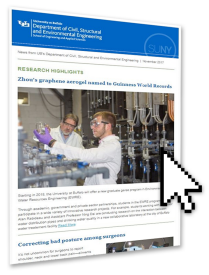
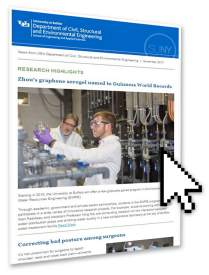
We provide branded Mailchimp email templates for all of our departments. These templates are available in the SEAS Mailchimp account or may be downloaded for use in other other Mailchimps accounts.
For university branded email templates and formatting information, visit the UB Identity and Brand website.
Header and Footer JPEGs
If you need headers and footers for an email design in something other than Mailchimp (such as Constant Contact or Slate), you can download and utilize the header and footer images available from the link below.